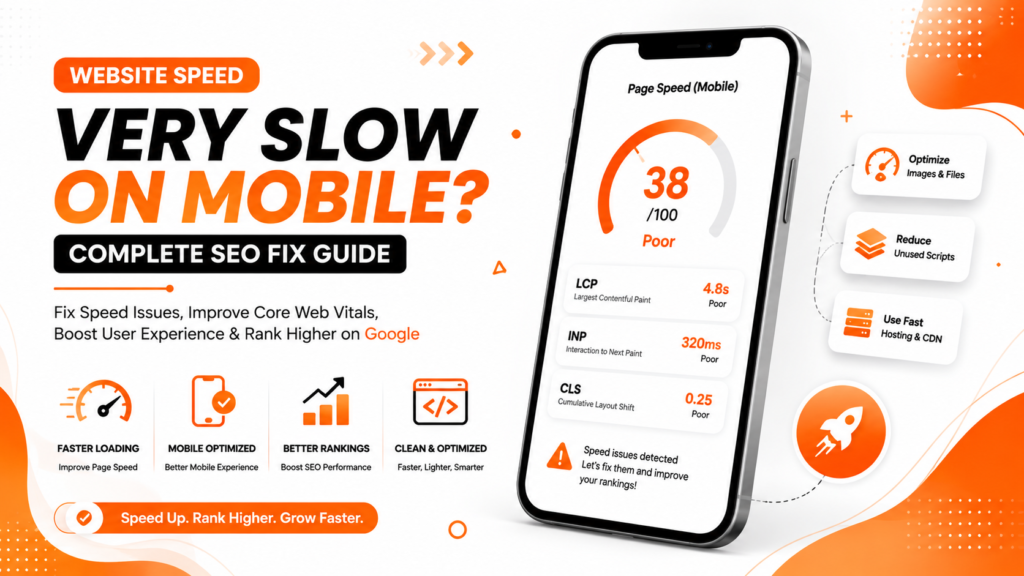
Your website may open perfectly on a desktop computer.
But on mobile phones, it becomes slow, laggy, and frustrating.
Pages take too long to load.
Images appear late.
Buttons respond slowly.
Users leave before the website fully opens.
This is one of the biggest SEO and conversion problems affecting WordPress websites, startups, local businesses, and eCommerce stores in India.
A clinic website in Delhi may lose appointment enquiries because mobile users exit within seconds.
A service business in Noida may spend heavily on Google Ads but lose leads because the landing page is too slow.
An online store in Mumbai may have excellent products, but poor mobile speed damages sales and rankings.
Many businesses still optimize websites mainly for desktop users.
Google does not.
Google now evaluates websites primarily from a mobile-first perspective. That means your mobile website experience directly affects:
- SEO rankings
- User engagement
- Bounce rate
- Conversion rates
- Core Web Vitals
- Organic traffic growth
This article explains:
- Why do websites become slow on mobile
- How Google measures mobile speed
- Common WordPress performance mistakes
- Practical step-by-step fixes
- Technical SEO improvements
- Prevention strategies for long-term performance
What Does “Slow Mobile Website” Actually Mean?
A slow mobile website is not only about loading time.
Google evaluates:
- Visual loading speed
- User interaction speed
- Layout stability
- Mobile responsiveness
- Real-world usability
Many websites fail mobile performance tests because:
- Pages load too many scripts
- Images are oversized
- Themes are bloated
- Mobile optimization is poor
Even if the desktop version looks fast, mobile users may still experience:
- Delayed rendering
- Laggy scrolling
- Broken layouts
- Slow button response
This negatively impacts both user experience and SEO.
Why Mobile Website Speed Matters for SEO
Google uses mobile-first indexing.
This means Google mainly evaluates the mobile version of your website for:
- Crawling
- Indexing
- Rankings
Slow mobile websites often experience:
- Higher bounce rates
- Lower engagement
- Reduced conversions
- Poor Core Web Vitals
- Lower search visibility
If two websites have similar content quality, Google usually favors the faster mobile experience.
For example, if two dental clinics in Gurugram offer similar services, the website with faster mobile speed and smoother user experience will often perform better in Google search results.
How Google Measures Mobile Speed
Google mainly uses:
- Google Search Console
- Chrome User Experience Report
- Real mobile user data
- Core Web Vitals metrics
The key performance metrics include:
| Metric | Meaning | Ideal Score |
|---|---|---|
| Largest Contentful Paint (LCP) | Main content loading speed | Under 2.5 seconds |
| Interaction to Next Paint (INP) | User interaction responsiveness | Under 200 ms |
| Cumulative Layout Shift (CLS) | Visual stability | Under 0.1 |
Google checks how real users experience your website on actual mobile devices, not just high-speed office internet.
Common Reasons Why Websites Become Slow on Mobile
Heavy WordPress Themes
Many WordPress themes prioritize design over performance.
Common issues include:
- Large CSS files
- Excess JavaScript
- Heavy animations
- Multiple homepage sliders
- Unused design elements
These features significantly increase mobile loading time.
Too Many Plugins
This is one of the most common WordPress problems.
Many businesses install:
- Multiple SEO plugins
- Popup tools
- Animation plugins
- Tracking plugins
- Chat widgets
- Form builders
Every plugin adds extra scripts and server requests.
Overloaded websites become slow very quickly on mobile devices.
Large Images and Banners
Uploading full-resolution images directly from phones or cameras is a major mistake.
Common examples include:
- 5MB homepage banners
- Oversized PNG files
- Uncompressed product images
Mobile users often struggle to load these files properly.
Cheap Hosting
Many small businesses in India choose low-cost hosting plans without considering performance.
Poor hosting can cause:
- Slow server response
- Delayed database queries
- Limited resources
- Website lag during traffic spikes
Good SEO performance requires reliable hosting infrastructure.
Poor Mobile Optimization
Some websites are technically responsive but still poorly optimized for mobile users.
Common problems include:
- Oversized sections
- Desktop-focused layouts
- Heavy fonts
- Excessive spacing
- Too many animations
These issues hurt usability badly on smaller screens.
Excessive JavaScript
Heavy JavaScript slows:
- Rendering
- Menu interactions
- Button clicks
- Page responsiveness
This directly impacts:
- INP scores
- User experience
- SEO performance
Third-Party Scripts Overload
Many websites use too many external scripts, such as:
- Facebook Pixel
- Google Ads tracking
- Chat widgets
- Heatmaps
- External integrations
Every script increases loading time.
Too many third-party tools can severely slow mobile performance.
How to Fix Slow Mobile Website Speed
Step 1: Test Your Website Properly
Use tools such as:
- Google PageSpeed Insights
- GTmetrix
- Google Search Console
Focus mainly on:
- Mobile score
- Core Web Vitals
- Render-blocking resources
- Largest Contentful Paint
Do not rely only on desktop testing.
Step 2: Compress Images Properly
Image optimization provides one of the biggest speed improvements.
Best practices:
- Convert images to WebP
- Resize images before uploading
- Compress homepage banners
- Avoid oversized PNG files
Popular plugins include:
- ShortPixel
- Imagify
- Smush
Step 3: Upgrade Hosting Quality
Good hosting improves:
- Server response time
- Database performance
- Page rendering speed
For better mobile performance:
- Use SSD hosting
- Choose LiteSpeed servers
- Consider cloud hosting
Cheap hosting often creates long-term SEO issues.
Step 4: Use Lightweight Themes
Avoid bloated themes with unnecessary features.
Performance-focused themes usually provide:
- Faster rendering
- Better Core Web Vitals
- Improved mobile usability
Step 5: Reduce Plugin Usage
Audit plugins carefully and remove:
- Unused plugins
- Duplicate functionality
- Heavy pop-up tools
- Old page builders
Many websites see dramatic improvements after plugin cleanup.
Step 6: Enable Proper Caching
Caching significantly reduces loading time.
Popular solutions include:
- LiteSpeed Cache
- WP Rocket
- Browser caching
- Server-side caching
Caching is especially important for:
- eCommerce websites
- Blog-heavy websites
- Service business websites
Step 7: Delay Non-Essential Scripts
Not all scripts need immediate loading.
Delay:
- Chat widgets
- Marketing scripts
- Social media embeds
- Heatmaps
This improves:
- Mobile responsiveness
- Interaction speed
- Core Web Vitals
Step 8: Optimize Fonts
Custom fonts can slow websites considerably.
Best practices:
- Use fewer font families
- Limit font weights
- Preload important fonts
Step 9: Reduce Layout Shifts
Mobile users dislike unstable pages.
To improve CLS:
- Set image dimensions
- Reserve ad space
- Avoid shifting banners
- Stabilize font loading
Step 10: Use CDN Services
A CDN helps improve global loading speed.
Platforms like:
- Cloudflare
can help:
- Deliver files faster
- Improve caching
- Reduce server load
Common Mobile Speed SEO Mistakes
Focusing Only on Design
Many businesses prioritize visual effects instead of usability.
Heavy animations often hurt:
- Mobile performance
- SEO rankings
- Conversion rates
Ignoring Real Mobile Testing
Testing websites only on office WiFi gives misleading results.
Always test:
- Real mobile devices
- Average mobile internet conditions
Installing Multiple Optimization Plugins
Too many optimization tools can conflict with each other and worsen performance.
Use fewer tools with proper configuration.
Using Huge Homepage Sliders
Large sliders are one of the biggest mobile speed killers.
Most business websites do not actually need them.
Uploading Raw Media Files
Never upload:
- Raw DSLR photos
- Full-resolution screenshots
- Large PDFs without optimization
Best Tools to Improve Mobile Speed
Google PageSpeed Insights
Best for:
- Mobile speed testing
- Core Web Vitals analysis
- Performance recommendations
Google Search Console
Useful for:
- Monitoring Core Web Vitals
- Mobile usability reports
- Validation tracking
GTmetrix
Helpful for:
- Waterfall reports
- Script analysis
- Asset loading review
Prevention Tips for Long-Term Mobile SEO Performance
Keep Websites Lightweight
Simple websites usually perform better.
Avoid unnecessary design elements.
Monitor Core Web Vitals Regularly
Performance issues often appear after:
- Theme updates
- Plugin changes
- New scripts
Check reports regularly.
Optimize Every Image Before Uploading
This habit alone prevents many future speed problems.
Audit Third-Party Scripts Regularly
Remove tools and scripts that are no longer useful.
Focus on User Experience First
Google increasingly rewards websites that:
- Load quickly
- Work smoothly
- Feel easy to use on mobile
Expert Recommendation from WebRise Technologies
At WebRise Technologies, we often see businesses spending heavily on SEO and paid advertising while ignoring mobile speed problems.
A slow mobile website can damage:
- Rankings
- User trust
- Lead generation
- Conversion rates
Many websites only need:
- Better hosting
- Cleaner themes
- Proper image optimization
- Technical SEO improvements
to achieve major speed improvements.
For most Indian businesses, mobile users represent the majority of website traffic. If the mobile experience is poor, rankings and conversions usually suffer.
FAQ Section
Why is my website slow only on mobile?
Mobile devices have slower processors and internet connections compared to desktops. Heavy images, scripts, and poor optimization affect mobile performance much more.
Can slow mobile speed affect Google rankings?
Yes. Google uses mobile-first indexing and considers page experience signals like Core Web Vitals when evaluating rankings.
Which matters more: desktop or mobile speed?
Mobile speed matters more because Google primarily evaluates the mobile version of websites for indexing and ranking purposes.
Does hosting affect website speed?
Yes. Poor hosting often causes slow server response times, delayed rendering, and unstable website performance.
How often should I check website speed?
It is good practice to monitor website performance monthly, especially after plugin updates, theme changes, or new script installations.
Conclusion
A slow mobile website is not just a technical issue.
It directly impacts:
- SEO rankings
- User experience
- Enquiries
- Sales
- Business growth
Many WordPress websites become slow because of:
- Heavy themes
- Too many plugins
- Poor hosting
- Unoptimized media
- Excess scripts
The good news is that most mobile speed problems are fixable with proper technical SEO improvements and smarter website optimization.
Businesses that prioritize mobile performance usually experience:
- Better rankings
- Lower bounce rates
- Improved conversions
- Stronger user engagement