Your website pages exist.
The content is published.
But Google is not indexing or ranking important URLs.
Inside Google Search Console, you may see warnings like:
- Blocked by robots.txt
- Indexed, though blocked by robots.txt
- Crawled but currently not indexed
This is one of the most overlooked technical SEO problems affecting WordPress websites, eCommerce stores, startups, and local business websites.
A clinic website in Delhi may accidentally block treatment pages.
An e-commerce website in Mumbai may stop Google from crawling product categories.
A startup website in Bangalore may block service pages after installing an SEO plugin incorrectly.
Most website owners do not even realize the problem exists until:
- Rankings drop
- Pages disappear from Google
- Organic traffic declines
- Important services stop appearing in search results
The biggest issue is that one small line inside robots.txt can silently damage your SEO for months.
This article explains:
- What robots.txt actually does
- Why are important pages getting blocked
- How Google interprets robots.txt
- Common WordPress mistakes
- Step-by-step fixes
- Prevention strategies for long-term SEO safety
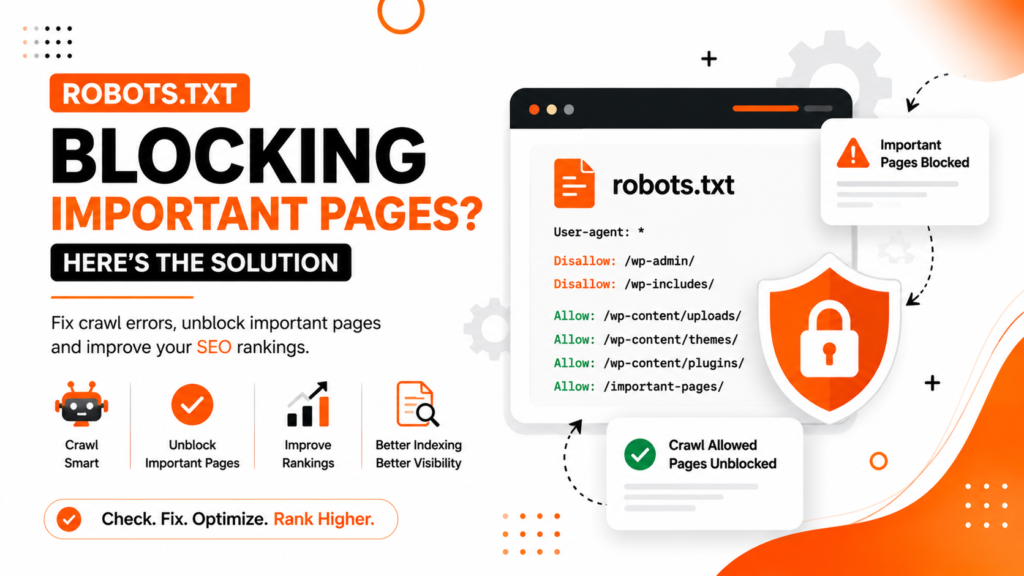
What Is Robots.txt?
Robots.txt is a small text file placed in the root folder of your website.
Its purpose is to tell search engine crawlers:
- Which pages can they crawl
- Which sections should they avoid
Example:
User-agent: *
Disallow: /wp-admin/
This tells search engines not to crawl the WordPress admin area.
The robots.txt file is useful when configured properly.
But incorrect settings can accidentally block:
- Service pages
- Blogs
- Product pages
- Category pages
- Images
- Entire website sections
That creates serious SEO problems.
Important Difference: Crawling vs Indexing
Many website owners misunderstand robots.txt.
Robots.txt mainly controls crawling, not indexing.
This means:
- Google may still index blocked URLs if other websites link to them
- But Google cannot properly understand the blocked page content
As a result:
- Rankings often suffer
- Content visibility decreases
- SEO performance becomes unstable
Google needs access to pages to evaluate them properly.
Why Robots.txt Problems Damage SEO
When important pages are blocked:
- Google cannot crawl content properly
- Internal linking signals weaken
- Page quality evaluation becomes incomplete
- Rankings may drop
In some cases, Google cannot access:
- CSS files
- JavaScript
- Images
This affects:
- Core Web Vitals
- Mobile usability understanding
- Rendering quality
- Page experience evaluation
Google now evaluates websites much more deeply than before.
Blocking critical resources can create major technical SEO issues.
Common Robots.txt Mistakes on WordPress Websites
Accidentally Blocking the Entire Website
This is more common than most people think.
Example:
User-agent: *
Disallow: /
This blocks the entire website from crawling.
Sometimes developers add this during staging or development and forget to remove it later.
This mistake can destroy SEO visibility completely.
Blocking Important Blog or Service Pages
Some websites accidentally block:
- /blog/
- /services/
- /category/
- /products/
This prevents Google from properly crawling valuable content.
Blocking CSS and JavaScript Files
Old SEO practices sometimes recommended blocking assets.
Today, Google needs access to:
- CSS files
- JavaScript
- Images
to fully understand page layout and usability.
Blocking these resources may hurt:
- Mobile optimization
- Core Web Vitals
- Rendering quality
Incorrect SEO Plugin Configuration
Some WordPress SEO plugins automatically generate robots.txt rules.
Improper settings can accidentally block:
- Tags
- Categories
- Author pages
- Product filters
- Important dynamic pages
Many website owners never review these configurations.
Blocking Pages Meant for Local SEO
Local businesses sometimes unintentionally block:
- Location pages
- City landing pages
- Google Business Profile landing pages
This weakens local SEO performance significantly.
Using Robots.txt Instead of Noindex
Many people incorrectly use robots.txt to remove pages from Google.
This is risky.
Better approaches include:
- Noindex tags
- Canonical tags
- Proper URL management
Blocking pages in robots.txt alone does not guarantee deindexing.
How Google Interprets Robots.txt
Google first checks robots.txt before crawling a website.
If blocked:
- Google may skip crawling the page
- But it may still index the URL based on external signals
This creates situations where:
- URLs appear in Google
- But descriptions look incomplete
- Rankings remain weak
Google prefers fully accessible content for proper evaluation.
How to Check If Robots.txt Is Blocking Important Pages
Use Google Search Console
Inside Google Search Console:
- Open URL Inspection Tool
- Test important URLs
- Check crawl status
You may see:
- Blocked by robots.txt
- Crawling not allowed
This confirms the issue.
Check the robots.txt file manually
Visit:
yourdomain.com/robots.txtReview all:
- Disallow rules
- User-agent sections
- Blocked directories
Look carefully for accidental restrictions.
Use SEO Crawling Tools
Tools like:
- Screaming Frog SEO Spider
- Ahrefs
can identify blocked pages quickly.
These tools help detect:
- Crawl restrictions
- Blocked assets
- Technical SEO issues
Step-by-Step Fix to Solve Robots.txt Blocking Problems
Step 1: Identify Important Blocked Pages
Check whether blocked URLs include:
- Service pages
- Product pages
- Blog articles
- Category pages
- Landing pages
Prioritize high-value SEO pages first.
Step 2: Remove Harmful Disallow Rules
Incorrect:
Disallow: /services/Correct:
Allow: /services/Only block pages that genuinely should stay private.
Step 3: Allow CSS and JavaScript Files
Do not block:
- CSS
- JS
- Important assets
Google needs these resources for rendering and usability evaluation.
Step 4: Use Noindex for Non-Important Pages
If you want to prevent indexing:
- Use noindex meta tags
- Avoid relying only on robots.txt
This gives Google clearer instructions.
Step 5: Validate Changes in Search Console
After fixing robots.txt:
- Resubmit important URLs
- Request reindexing
- Monitor crawl reports
Google may take time to process updates.
Step 6: Monitor Crawl Activity
Regularly check:
- Crawl stats
- Indexed pages
- Coverage reports
- Core Web Vitals
This helps detect future problems early.
Common Technical SEO Mistakes Businesses Make
Blocking Pages During Website Redesign
Many websites block crawling temporarily during redesign projects, but forget to remove restrictions later.
This is extremely common with WordPress migrations.
Blocking Entire Folders Instead of Specific URLs
Broad disallow rules often block valuable pages unintentionally.
Be precise with crawl instructions.
Ignoring Search Console Warnings
Many businesses never review:
- Coverage reports
- Crawl issues
- Indexing warnings
Important SEO problems remain unnoticed for months.
Confusing Noindex with Disallow
These are different concepts.
- Disallow controls crawling
- Noindex controls indexing
Using the wrong method can create confusion for Google.
Overusing Robots.txt Restrictions
Some websites block too many sections unnecessarily.
Modern SEO usually benefits from better crawl accessibility.
Best Practices for Robots.txt SEO
Keep Robots.txt Simple
Avoid unnecessary complexity.
A clean robots.txt file is easier to maintain and safer for SEO.
Block Only Private Areas
Usually acceptable areas to block include:
- /wp-admin/
- Internal system folders
- Sensitive backend sections
Avoid blocking public SEO pages.
Review Robots.txt After Major Website Changes
Always check robots.txt after:
- Website redesigns
- Plugin installations
- SEO tool changes
- WordPress migrations
Combine Robots.txt with Technical SEO Audits
Robots.txt should be part of regular technical SEO reviews.
Best Tools to Monitor Robots.txt Issues
Google Search Console
Best for:
- URL inspection
- Crawl issue monitoring
- Coverage reports
Screaming Frog SEO Spider
Useful for:
- Technical SEO audits
- Crawl simulations
- Robots.txt analysis
Ahrefs
Helpful for:
- SEO audits
- Crawl diagnostics
- Indexing analysis
Expert Recommendation from WebRise Technologies
At WebRise Technologies, we regularly find robots.txt issues causing major ranking and indexing problems for businesses.
Many websites unknowingly block:
- Important blogs
- Product pages
- Landing pages
- SEO assets
Sometimes, one incorrect robots.txt rule can reduce organic visibility dramatically.
Technical SEO problems like this often remain hidden because:
- The website still appears online
- Pages technically exist
- Most users never notice the issue
But Google’s crawlers do.
Regular technical SEO audits are essential to ensure search engines can properly access and understand your website.
FAQ Section
Can robots.txt stop Google from indexing pages?
Not always. Robots.txt mainly blocks crawling. Google may still index blocked URLs if external links point to them.
What pages should be blocked in robots.txt?
Usually only private or backend sections such as:
- /wp-admin/
- Internal system folders
- Sensitive website areas
Public SEO pages should generally remain crawlable.
Does blocking CSS and JavaScript hurt SEO?
Yes. Google needs access to important resources to evaluate rendering, mobile usability, and page experience properly.
How do I check if robots.txt is blocking pages?
Use the URL Inspection Tool inside Google Search Console or manually review yourdomain.com/robots.txt.
Should I use noindex or robots.txt?
For preventing indexing, noindex is usually safer and clearer than robots.txt blocking.
Conclusion
Robots.txt is a powerful technical SEO file.
But one incorrect rule can silently damage:
- Rankings
- Crawling
- Indexing
- Organic traffic
- Local SEO visibility
Many WordPress websites accidentally block important pages without realizing it.
The good news is that robots.txt problems are usually fixable once identified correctly.
Businesses that regularly monitor technical SEO issues often avoid major ranking losses and maintain stronger Google visibility.