You publish a new page on your website, submit the sitemap, request indexing in Google Search Console, and wait for traffic.
Days later, the page still does not appear on Google.
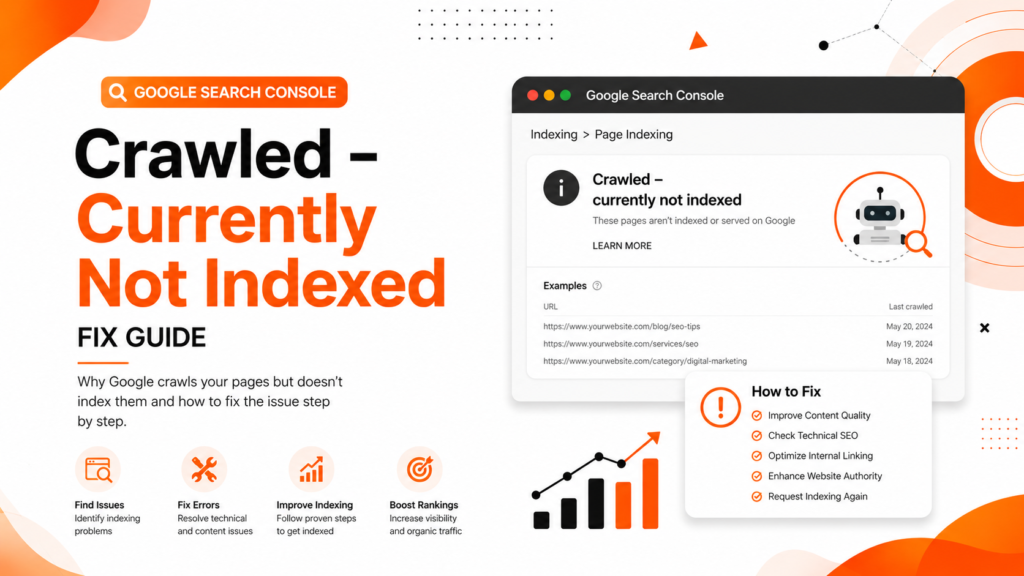
Then you check Search Console and see this frustrating status:
“Crawled – Currently Not Indexed”
This issue is becoming extremely common for:
- WordPress websites
- E-commerce stores
- Local business websites
- SEO blogs
- Startup websites
- Service-based companies
A clinic in Delhi may publish location pages that never index.
An e-commerce store in Mumbai may upload hundreds of product pages that Google crawls but ignores.
A digital marketing agency in Noida may publish SEO blogs that stay excluded for weeks.
Many website owners think this is a technical bug. It is not.
This status usually means Google visited your page but decided it was not valuable enough to include in its index right now.
The good news is that this issue is fixable if you understand how Google evaluates page quality, crawl signals, technical SEO, and content usefulness.
In this article, we will explain:
- What “Crawled – Currently Not Indexed” actually means
- Why Google excludes pages
- Common SEO mistakes causing this problem
- Step-by-step fixes
- Prevention strategies
- Expert recommendations for long-term indexing success
What “Crawled – Currently Not Indexed” Means
This status means:
- Google successfully crawled your page
- Google could access the content
- But Google decided not to index it yet
This is different from:
- Blocked pages
- Noindex pages
- 404 errors
- Robots.txt restrictions
Google is essentially saying:
“We visited this page, but we are not convinced it deserves a place in our search index right now.”
This usually happens because Google detects:
- Thin content
- Duplicate content
- Low-value pages
- Weak internal linking
- Poor website quality signals
- Crawl prioritization issues
Why This Problem Happens
Thin or Low-Quality Content
One of the biggest reasons for this issue is weak content quality.
Google does not want to index pages that:
- Add little value
- Repeat existing content
- Lack expertise
- Contain generic AI-written text
- Have poor formatting
- Do not satisfy search intent
Common Examples
- City pages with only location names changed
- Empty category pages
- Very short service pages
- Product pages with copied descriptions
- AI-generated blogs without practical insights
Real Example
An SEO agency website in Gurugram had 70 service-area pages with nearly identical content. Google crawled them, but indexed only 8 pages because the others provided almost no unique value.
Weak Internal Linking
Google discovers importance through internal links.
If a page:
- Has no internal links
- Is buried deep in the website
- Is disconnected from important pages
…Google may treat it as low priority.
This is very common on large WordPress websites where blogs are published without proper linking.
Poor Website Authority
Sometimes the issue is not the page itself.
If your website has:
- Very few backlinks
- Weak domain authority
- Low trust signals
- Poor engagement
Google may crawl pages, but avoid indexing too many low-priority URLs.
New websites face this problem frequently.
Duplicate Content Issues
Google tries to avoid indexing duplicate or near-duplicate pages.
Common causes:
- Multiple URL versions
- Parameter URLs
- Similar product pages
- Duplicate city pages
- Incorrect canonical tags
When Google sees duplication, it may skip indexing some URLs entirely.
Crawl Budget Problems
Large websites often waste crawl budget on:
- Filter pages
- Tag pages
- Archive pages
- Duplicate URLs
- Thin category pages
This affects indexing efficiency.
E-commerce websites in particular face this issue frequently.
Slow Website Performance
If your website loads slowly, Google may reduce crawling frequency.
Poor:
- Server response time
- Mobile usability
- Core Web Vitals
- Page speed
…can negatively affect indexing behavior.
Common Mistakes Website Owners Make
Requesting Indexing Repeatedly
Many users repeatedly click “Request Indexing” in Google Search Console.
This does not solve the root problem.
Google still evaluates:
- Content quality
- Website trust
- Search value
- Crawl importance
Publishing Too Many Weak Pages
Many businesses believe that more pages automatically improve SEO.
This creates:
- Thin content
- Duplicate pages
- Index bloat
- Crawl inefficiencies
Google now prefers quality over quantity.
Ignoring Technical SEO
Many websites never check:
- Canonical tags
- Sitemap quality
- Crawl errors
- Broken links
- Redirect problems
Technical SEO issues often silently affect indexing.
Using AI Content Without Editing
Low-quality AI content is one of the fastest-growing reasons behind indexing problems.
Google does not dislike AI itself.
Google dislikes:
- Unhelpful content
- Generic information
- Repetitive writing
- Lack of expertise
- Low originality
Step-by-Step Fixes for “Crawled – Currently Not Indexed”
Step 1: Improve Content Quality
Ask yourself:
- Is this page truly useful?
- Does it solve a real problem?
- Is it better than competitor pages?
- Does it demonstrate expertise?
Improve the Page By Adding
- Detailed explanations
- Real examples
- FAQs
- Statistics
- Screenshots
- Expert recommendations
- Original insights
- Internal links
Thin pages rarely get indexed consistently.
Step 2: Strengthen Internal Linking
Link important pages from:
- Homepage
- Service pages
- Blog articles
- Relevant category pages
Google uses internal links to understand:
- Page importance
- Topic relationships
- Crawl priority
Internal Linking Suggestions for WebRise Technologies
You can naturally link this article to:
- SEO Services
- Technical SEO Services
- Website Design Services
- Blog Section
- Local SEO pages
This improves topical authority.
Step 3: Check Canonical Tags
Incorrect canonical tags can confuse Google.
Check if:
- Canonical points to another page
- Self-referencing canonical exists
- Duplicate versions are created
Use browser inspection tools or SEO plugins to verify canonical setup.
Step 4: Improve Website Authority
Websites with higher trust get pages indexed faster.
Focus on:
- High-quality backlinks
- Brand mentions
- Useful content
- Topical authority
- Local SEO signals
Avoid spammy link-building tactics.
Step 5: Remove Low-Quality Pages
Not every page deserves indexing.
Consider:
- Merging thin pages
- Deleting duplicate URLs
- Noindexing weak pages
- Consolidating similar content
This improves overall website quality signals.
Step 6: Optimize Crawl Efficiency
Improve:
- XML sitemap structure
- Navigation
- Internal linking
- URL structure
Avoid wasting crawl budget on:
- Tag pages
- Duplicate filters
- Empty archives
- Low-value URLs
Step 7: Improve Core Web Vitals
Use:
- Google PageSpeed Insights
- Lighthouse
- GTmetrix
Optimize:
- Image compression
- Hosting quality
- Lazy loading
- Script optimization
Better performance improves crawling and user experience.
Step 8: Request Indexing After Improvements
Only request indexing after meaningful improvements.
Otherwise, Google may continue ignoring the page.
Use:
- URL Inspection Tool
- Sitemap resubmission
inside Google Search Console.
Best Tools to Diagnose the Problem
| Tool | Purpose |
|---|---|
| Google Search Console | Index coverage and crawl analysis |
| Screaming Frog | Technical SEO audits |
| Ahrefs | Backlink and content analysis |
| SEMrush | SEO performance tracking |
| Google PageSpeed Insights | Speed and Core Web Vitals |
| Sitebulb | Crawl visualization |
| Google Analytics | User engagement analysis |
Prevention Tips
Publish Fewer but Better Pages
Focus on:
- Quality
- Expertise
- Originality
- User intent
Google rewards useful pages.
Build Topic Clusters
Instead of random blogs, create connected content.
Example:
Main Topic
Technical SEO
Supporting Blogs
- XML Sitemap Issues
- Canonical Tag Problems
- Core Web Vitals Fixes
- Indexing Errors
- Crawl Budget Optimization
This builds topical authority.
Monitor Search Console Weekly
Watch for:
- Indexing drops
- Coverage issues
- Duplicate pages
- Crawl anomalies
Early detection prevents larger SEO problems.
Improve Website Trust
Google indexes trusted websites more aggressively.
Build trust through:
- Helpful content
- Consistent publishing
- Strong branding
- Quality backlinks
- User engagement
Expert Recommendation
“Crawled – Currently Not Indexed” is not usually a penalty.
It is Google’s quality filtering system working in real time.
Google now indexes selectively because the web is flooded with:
- AI-generated pages
- Thin content
- Duplicate websites
- Low-value SEO articles
That means websites must now demonstrate:
- Expertise
- Practical value
- Topical authority
- User usefulness
The websites winning in SEO today are not necessarily publishing the most content.
They are publishing the most useful content.
That difference matters.
FAQ Section
Why does Google crawl my page but not index it?
Google may believe the page lacks enough value, uniqueness, authority, or relevance for search users. Thin content and weak internal linking are common causes.
How long does “Crawled – Currently Not Indexed” last?
It can last from a few days to several months, depending on page quality, website authority, and crawl prioritization.
Can low-quality AI content cause indexing issues?
Yes. Generic AI-generated content without originality or expertise often struggles to get indexed consistently.
Should I request indexing repeatedly?
No. Repeated indexing requests rarely help unless you significantly improve the page quality first.
Can technical SEO issues cause this problem?
Yes. Canonical problems, crawl inefficiencies, duplicate pages, weak internal linking, and slow performance can all contribute to indexing issues.
Conclusion
If your pages are showing “Crawled – Currently Not Indexed,” Google is telling you something important:
Your page was accessible, but Google was not convinced it deserved indexing yet.
This problem is usually connected to:
- Weak content
- Thin pages
- Poor internal linking
- Low authority
- Technical SEO issues
- Crawl inefficiencies
The solution is not simply requesting indexing again.
The real solution is improving overall page quality and website trust.
Businesses that focus on:
- Helpful content
- Strong technical SEO
- Better user experience
- Topical authority
…usually see better indexing and ranking performance over time.
Need Professional SEO Help?
If your website is struggling with indexing issues, crawl problems, technical SEO errors, or ranking drops, the team at WebRise Technologies can help.
Our SEO experts provide:
- Technical SEO audits
- Google Search Console issue fixes
- WordPress SEO optimization
- Crawl and indexing improvements
- Local SEO strategies
- Content optimization
- Website performance improvements
Contact WebRise Technologies today to improve your Google indexing, rankings, and long-term organic traffic growth.