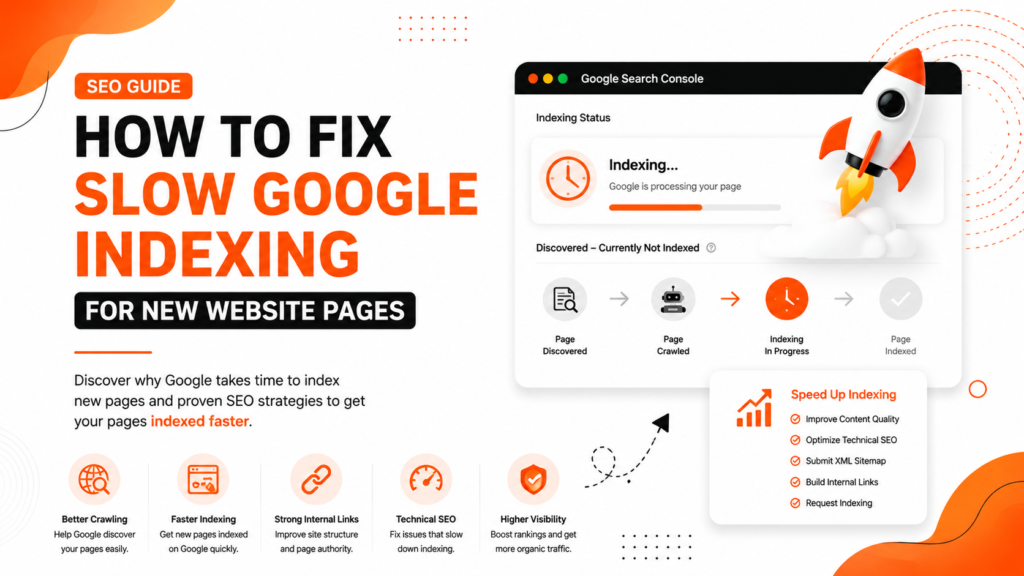
You publish a new blog post or service page, submit it to Google Search Console, and expect it to appear on Google within hours.
But days pass.
Sometimes, even weeks.
The page is still missing from the search results.
This is one of the most frustrating SEO problems for:
- New websites
- WordPress users
- Local businesses
- E-commerce stores
- Startup websites
- Service companies
A business website in Delhi may publish important service pages that Google ignores for weeks.
An e-commerce website in Mumbai may upload hundreds of products, but see only a few indexed.
A startup in Bangalore may consistently publish blogs yet struggle to gain visibility because indexing is extremely slow.
Many website owners think Google indexing is automatic and instant.
It is not.
Google decides:
- Which pages deserve indexing
- How quickly pages should be crawled
- Which websites receive higher crawl priority
If your website lacks strong quality signals, indexing may become very slow.
The good news is that slow indexing is usually fixable with the right technical SEO improvements and content optimization strategies.
In this article, we will explain:
- Why Google indexes pages slowly
- How Google prioritizes crawling
- Common mistakes causing indexing delays
- Step-by-step fixes to improve indexing speed
- Technical SEO improvements for faster indexing
- Expert recommendations for long-term indexing performance
What Slow Google Indexing Actually Means
Slow indexing means:
- Google discovered the page
- But Google delayed adding it to search results
This is different from:
- Noindex pages
- Blocked pages
- 404 errors
- Crawled currently not indexed issues
Sometimes Google may:
- Crawl the page late
- Re-crawl the page multiple times
- Delay indexing for quality evaluation
Google uses indexing prioritization systems to manage billions of pages daily.
Not every page gets indexed immediately.
Why Google Indexes New Pages Slowly
Your Website Is New
New websites often experience slow indexing because Google has not fully established trust yet.
Google initially crawls new websites cautiously.
This is common for:
- Newly launched business websites
- Startup websites
- Fresh blogs
- New e-commerce stores
Until Google sees:
- Consistent quality
- Helpful content
- Strong technical SEO
- Reliable publishing
…crawl frequency usually remains limited.
Weak Internal Linking
Google discovers pages faster through internal links.
If your new page:
- Is not linked from important pages
- Is buried deep in navigation
- Has no contextual links
…Google may treat it as low priority.
This happens frequently on WordPress websites where blogs are published without an internal SEO structure.
Poor Content Quality
Google may delay indexing if:
- Content looks thin
- Information lacks originality
- Search intent is weak
- Content appears auto-generated
- Pages offer little value
Google increasingly prioritizes helpful and unique content.
Crawl Budget Limitations
Google allocates crawl resources differently for every website.
Large websites often waste crawl budget on:
- Filter pages
- Tag archives
- Duplicate URLs
- Thin pages
- Parameter URLs
This reduces crawl efficiency for important pages.
Slow Website Performance
Poor page speed can reduce crawl efficiency.
Common issues include:
- Slow hosting
- Heavy scripts
- Unoptimized images
- Poor mobile experience
Google prefers websites that load quickly and provide better user experience.
Weak Website Authority
Websites with strong authority usually get indexed faster.
Authority signals include:
- High-quality backlinks
- Brand mentions
- Strong content
- Consistent publishing
- User engagement
New or weak websites often experience slower indexing.
Technical SEO Problems
Technical SEO issues can delay indexing significantly.
Common problems:
- Broken sitemap
- Incorrect canonical tags
- Crawl errors
- Redirect chains
- Robots.txt problems
- Duplicate pages
Google may struggle to prioritize pages correctly.
Common Mistakes Website Owners Make
Requesting Indexing Too Frequently
Many users repeatedly click “Request Indexing” in Google Search Console.
This does not guarantee faster indexing.
Google still evaluates page quality and crawl priority.
Publishing Too Many Weak Pages
Some websites publish large numbers of:
- Thin blogs
- Duplicate city pages
- AI-generated content
- Empty category pages
This weakens overall website quality signals.
Ignoring Sitemap Optimization
Many websites submit:
- Broken URLs
- Noindex pages
- Redirected pages
- Duplicate URLs
inside XML sitemaps.
Poor sitemap quality affects crawling efficiency.
Creating Orphan Pages
Orphan pages have no internal links pointing to them.
Google often discovers these pages very slowly.
Step-by-Step Fixes for Slow Google Indexing
Step 1: Improve Internal Linking
Link new pages from:
- Homepage
- Blog pages
- Service pages
- Relevant articles
- Navigation sections
Google uses internal links to understand:
- Page importance
- Topic relationships
- Crawl priority
Internal Linking Suggestions for WebRise Technologies
You can internally link this article to:
- SEO Services
- Technical SEO Services
- Website Design Services
- Blog Section
- Local SEO pages
This improves topical authority and crawl efficiency.
Step 2: Submit High-Quality XML Sitemap
Ensure your XML sitemap includes:
- Indexable pages only
- Canonical URLs
- Updated pages
- Correct page status
Avoid including:
- Redirects
- Duplicate pages
- Noindex URLs
- Broken pages
Submit the sitemap to Google Search Console.
Step 3: Improve Content Quality
Google indexes valuable content faster.
Add:
- Detailed explanations
- Practical insights
- Original examples
- FAQs
- Step-by-step solutions
- Expert recommendations
Avoid generic AI-style content.
Step 4: Improve Website Speed
Use:
- Google PageSpeed Insights
- Lighthouse
- GTmetrix
Optimize:
- Image compression
- Hosting performance
- JavaScript loading
- CSS optimization
- Mobile responsiveness
Fast websites improve crawl efficiency.
Step 5: Build Topic Authority
Websites with strong topical relevance often receive faster indexing.
Example:
Main Topic
Technical SEO
Supporting Articles
- Core Web Vitals
- Sitemap Optimization
- Canonical Tags
- Crawl Budget
- Google Search Console Errors
This helps Google trust the website more.
Step 6: Check Crawlability
Ensure pages are:
- Accessible
- Not blocked
- Properly linked
- Mobile-friendly
Check:
- Robots.txt
- Canonical tags
- Meta robots
- Crawl errors
Step 7: Improve Website Authority
Higher-authority websites usually get crawled more frequently.
Focus on:
- Quality backlinks
- Useful content
- Brand mentions
- User engagement
Avoid spammy SEO shortcuts.
Step 8: Use the URL Inspection Tool Properly
After improving the page:
- Open URL Inspection Tool
- Check live URL
- Confirm indexability
- Request indexing once
Repeated submissions rarely help without quality improvements.
Best Tools to Check Indexing Problems
| Tool | Purpose |
|---|---|
| Google Search Console | Index coverage and crawl analysis |
| Google Analytics | User engagement analysis |
| Screaming Frog | Technical SEO audits |
| Ahrefs | Backlink analysis |
| SEMrush | SEO performance tracking |
| Google PageSpeed Insights | Core Web Vitals testing |
| Sitebulb | Crawl visualization |
Prevention Tips
Publish Quality Content Consistently
Google trusts websites that consistently publish:
- Helpful content
- Expert insights
- Original information
- User-focused pages
Maintain Clean Technical SEO
Regularly audit:
- Sitemap quality
- Broken links
- Redirect chains
- Canonical tags
- Mobile usability
Technical SEO health improves indexing performance.
Avoid Index Bloat
Do not create unnecessary pages.
Too many weak pages can:
- Waste crawl budget
- Reduce crawl efficiency
- Lower overall quality signals
Strengthen Website Trust
Improve:
- Branding
- Backlinks
- User experience
- Content quality
- EEAT signals
Trusted websites receive faster crawling and indexing.
Expert Recommendation
Slow indexing is usually a symptom, not the core problem.
Google delays indexing when websites:
- Lack authority
- Publish thin content
- Have technical SEO weaknesses
- Waste crawl budget
- Show weak trust signals
One major SEO trend today is that Google indexes selectively.
The internet now contains massive amounts of:
- Duplicate content
- AI-generated articles
- Thin pages
- Low-quality websites
That means Google has become far more selective about what deserves indexing priority.
Businesses focusing on:
- Helpful content
- Technical SEO
- User experience
- Topic expertise
…usually achieve better indexing speed over time.
FAQ Section
Why is Google indexing my pages slowly?
Google may delay indexing because of weak content quality, poor website authority, technical SEO problems, or limited crawl budget.
How long does Google take to index new pages?
Indexing can happen within hours or may take several weeks depending on website trust, crawl frequency, and page quality.
Does WordPress affect indexing speed?
WordPress itself is SEO-friendly, but poor plugins, weak site structure, and technical issues can slow indexing.
Can poor internal linking delay indexing?
Yes. Google uses internal links to discover and prioritize pages. Weak internal linking often slows crawling and indexing.
Should I request indexing repeatedly in Google Search Console?
No. Repeated indexing requests usually do not help unless you improve the actual quality and crawlability of the page.
Conclusion
Slow Google indexing can delay rankings, traffic, and lead generation for businesses trying to grow online.
But most indexing problems are solvable when you:
- Improve content quality
- Strengthen technical SEO
- Optimize internal linking
- Build website authority
- Enhance crawl efficiency
Google prioritizes websites that consistently provide useful and trustworthy content.
Businesses that focus on:
- Better SEO structure
- Strong user experience
- Helpful content
- Technical optimization
…usually achieve faster indexing and more stable organic growth over time.
Need Professional SEO Help?
If your website pages are indexing slowly, the SEO experts at WebRise Technologies can help identify the real issue and improve your indexing performance.
Our services include:
- Technical SEO audits
- Google Search Console optimization
- Crawl and indexing improvements
- WordPress SEO optimization
- XML sitemap fixes
- Core Web Vitals optimization
- Organic traffic growth strategies
Contact WebRise Technologies today to improve your Google indexing speed, rankings, and long-term SEO performance.